Did you ever spend hours fixing your website’s duplicate pages? Or, only to find that search engines still ignore your changes? Website owners face a common search mystery when technical edits fail to appear. Clean canonical tags offer instructions, yet old links remain active inside index listings.
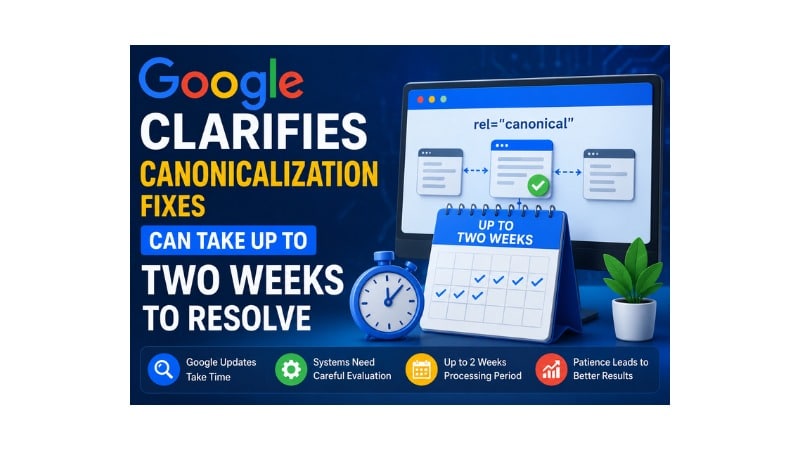
More so, to clear up confusion, a major search document update brings crucial clarification: Google clarifies canonicalization fixes can take up to two weeks to resolve.
Many website owners express immense frustration when pages drop from organic search results. You apply a canonical tag, but the old links remain visible in the listings.
Furthermore, systems need up to fourteen days to process these technical page adjustments. Website owners must track how systems process identical web content paths over time. Clear knowledge prevents unnecessary website adjustments from resetting your internal search indexing clocks.
What Is Canonicalization in Google Search?
Canonicalization represents the structural process of selecting a single primary web link path. Many identical URLs need search engines to choose one representative version for searchers.
Canonicalization groups duplicate web pages to select one main authoritative link path. The system consolidates search rankings and link equity into your primary chosen URL.
Unclear link preferences force search engines to split ranking power across many pages. Divided link equity drops search engine visibility and harms your primary page rankings.
What Is a Canonical URL?
A canonical URL serves as the primary master address for search engine indexing. Developers declare this preferred destination by placing HTML code inside duplicate page headers.
Thus, the tag guides search engine crawlers straight to your chosen primary page. Clear directives prevent search engines from indexing filtered product views or tracking variables.
Why Google Says Canonicalization Fixes Can Take Up to Two Weeks
Search engines need ample time to process technical edits across identical content groups. The official statement from Google clarifies canonicalization fixes can take up to two weeks to resolve, highlighting latency. Systems must re-evaluate full-page clusters instead of updating single web pages.
Google needs fourteen days because systems re-crawl duplicate groups and recalculate authority. Deep processing cycles across many data servers split duplicate clusters over time.
However, search crawlers schedule fresh inspections for every page inside that duplicate group. The crawl schedule depends on your general crawl budget and total page depth. Large websites with complex architecture usually experience longer delays during content evaluation cycles.

No Tech Jargon. Just More Customers.
We aren’t here to hide behind abstract technical metrics to mask a lack of results. Most agencies use complex algorithmic jargon just to confuse you and justify overcharging. JoseOne enjoys literally 100% client retention because, nothing is expensive when it’s worth what you pay for it.
What Is a Duplicate Content Cluster?
A duplicate content cluster represents a group of identical or matching web pages. Google binds these pages under one representative URL to keep search results clean.
Additionally, search systems track grouped URLs as a single collective index unit. Breaking pages out of clusters requires major text changes to prove uniqueness.
How Google Determines the Canonical Version of a Page
Google ignores your declared canonical tags when page signals present conflicting technical evidence. Automated algorithmic election processes analyze many structural elements on your active website pages.
Google determines the canonical version by evaluating links, redirects, sitemaps, and text. Automated systems override your tags when technical signals conflict with page configurations.
Aligning these technical elements remains a critical rule for solid canonical tag SEO. Mixed signals confuse search engines when internal links point toward duplicate pages.
Google Clarifies Canonicalization Fixes Can Take Up To Two Weeks To Resolve
The Google-selected canonical represents the exact destination address that search algorithms choose. Search engines choose this URL based on redirects, sitemaps, and internal links.
Or, website owners can inspect these algorithmic choices inside Google Search Console tools. Mismatched URLs mean your website contains conflicting technical signals and broken tags.
What Triggers Canonicalization Problems on Your Website?
Canonicalization errors start when search crawlers access duplicate content through different URLs. Complex path structures confuse automated search engine bots and cause major indexing drops.
- Duplicate content blocks and copy variations
- Incorrect canonical tags inside page headers
- Conflicting internal links across navigation menus
- Sitemap inconsistencies and incorrect URL listings
- Tracking parameters on e-commerce product links
- Protocol variations involving HTTP versus HTTPS setups
E-commerce sites experience these exact issues because product filters generate many URLs. Every filter combination creates an identical page, forcing search engines to build clusters.
How to Fix Canonicalization Issues Correctly | Google Clarifies Canonicalization Fixes Can Take Up to Two Weeks to Resolve
Resolving canonicalization issues requires a clean system to align your technical tags. Website owners must point all structural signals toward the same URL destination.
Fix canonicalization issues by updating your tags and correcting broken redirect chains. Use Google Search Console to track your progress and watch index changes.
Consistent internal linking structures provide a strong signal for search engine systems. Site navigation elements must point toward the primary canonical URL without variation.
How to Verify Google Has Processed Your Canonical Fixes
Website owners must track technical updates to ensure search engines recognize site modifications. Frequent report monitoring confirms that your primary pages achieve stable search indexation.
Verify canonical fixes by checking the URL Inspection Tool in Search Console. Matching fields confirm that search systems processed your preferred canonical URL choices.
Besides, users track these adjustments inside the indexing tab’s pages report section. A lower count for duplicate page statuses confirms successful URL cluster separation.
Google Canonicalization Diagnostic Matrix
Content Clustering Duplicate: Google chose a different canonical page, sharing matching text structures, for up to 2 weeks.
Technical Conflict: Alternate page with proper canonical tag, conflicting sitemaps, or internal links variable timeline.
Code Error: Duplicate without user-selected canonical. Missing canonical tags on pages in the next crawl cycle.
Strategic Patience: What to Do During the Two-Week Window
Patience plays a vital role in search optimization for identical page groups. Making constant technical changes during cluster updates disrupts search engine processing cycles.
Avoid changing URLs or modifying your internal link architecture during processing. Constant modifications reset the search evaluation timer and extend the duplicate cluster status.
Log inspections and content production provide better alternatives during this processing gap. Keeping site architecture stable allows search crawlers to update their indexes efficiently.
Simple Affordable Rates
At JoseOne, we keep it simple. You don’t need a degree in search engine mechanics—you just need more traffic, more phone calls, and more sales. We offer one, fully-loaded package for just $3 per day, to get your business ranking higher on Google, with a 100% Money-Back Guarantee. We handle the technical heavy lifting so you can focus on running your business.
Common Mistakes That Delay Google’s Processing Times
Webmasters extend processing wait times by creating conflicting technical signals on pages. Avoiding common structural errors keeps site indexation speeds as short as possible.
- Placing multiple canonical tags inside a single page HTML header
- Pointing canonical tags toward redirected links or broken 404 URLs
- Linking internal navigation paths toward non-canonical parameter web pages
- Creating mixed loops where redirects conflict with your active canonical tags
Canonical tags must point to active pages that return clean status codes. Pointing tags toward redirected links breaks the transmission of essential ranking signals.
Best Practices to Prevent Future Canonicalization Issues
Building a clean technical setup stops duplicate content problems before they start. Regular maintenance preserves a valuable search crawl budget and safeguards your organic search positions.
Moreover, prevent future canonical errors by maintaining uniform URL formats across files. Aligned internal links ensure search engines recognize your primary original content pieces.
Clean your tracking codes and parameters to prevent automated duplicate URL creation. Enforcing uniform trailing slashes across your pages removes simple duplicate link paths.
Frequently Asked Questions
Why does Google take so long to update duplicate clusters?
Google crawls your pages, analyzes text, and recalculates sitewide link signals. Deep system updates across many data servers need time to clear duplicate clusters.
How can I make my pages split out of a cluster faster?
Creating unique text content helps pages exit duplicate clusters much faster. Google documentation states that significant content differences index separation across duplicate groups.
Should I use the Request Indexing tool in Search Console for every page?
Use the Request Indexing feature for your most important web pages. Google advises against using this submission button for mass bulk URL updates.
What is the difference between user-declared and Google-selected canonicals?
The user-declared canonical represents the specific link you place in the page code. The Google-selected canonical is the link search engines choose to index instead.
Will my search rankings suffer during this two-week waiting period?
Rankings experience temporary shifts while search engines determine your primary master URL. Altering tags during this processing window extends the indexation delay.
Conclusion
Lastly, understanding technical search engine timelines remains essential for modern search engine optimization.
Ultimately, Google clarifies canonicalization fixes can take up to two weeks to resolve, enabling realistic technical campaign management. Align your XML sitemaps, keep copy unique, and allow crawlers time to process fixes.