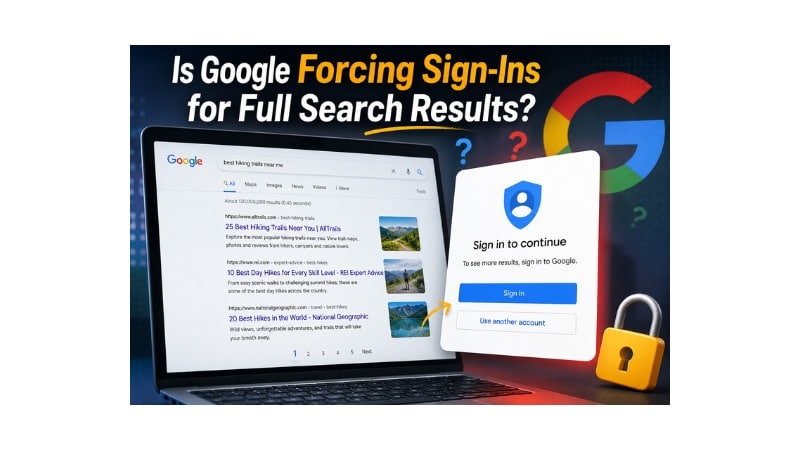
Have you ever clicked beyond Google’s first results page and faced an unexpected login prompt? Whether your search freedom disappeared because Google suddenly changed Search.
Is Google forcing sign-ins for full search results? Let us explore why these prompts appear, what they mean, and how you can restore normal search access.
Searching the internet once felt simple and quick for almost every user. You entered a query, explored several pages, and found reliable answers without interruption. Recently, many searchers noticed unexpected login prompts while browsing deeper search results.
However, many users now question: Is Google forcing sign-ins for full search results? After seeing repeated account requests. Many people prefer searching without personal accounts because they value privacy and independence while browsing online.
Google explains that these prompts help verify human activity and reduce automated scraping. Many users still find those interruptions confusing during everyday searches.
So, this guide explains why Google shows these prompts, who sees them most often, and how you can continue searching with confidence.
The Short Answer: Is Google Requiring a Login to Search?
Google has not made account sign-ins mandatory for users across the world today. Millions of people perform daily searches without logging into personal Google accounts. You can open your browser, enter a query, and receive search results quickly. Basic Google Search remains available without requiring an account for normal browsing.
Some users still encounter login prompts during specific search activities or browsing sessions. These prompts usually appear after opening many search result pages in succession. Google uses these prompts to confirm that a real person performs searches.
Standard searches continue working normally for most people without signing into Google accounts. The prompts target browsing sessions that trigger automated security checks instead of normal activity. Google does not force every user to sign in before searching today.
Is Google Forcing Sign-Ins for Full Search Results? Current Status: Limited Bot Testing vs. Global Rollout
Tech experts believe this login requirement remains part of a limited security experiment. Google regularly tests new features with selected groups before making wider decisions. Engineers study these tests to improve protection against malicious software and automated scraping.
A global rollout would require every user to sign in before viewing search results. Google has not announced plans for a worldwide login requirement for Search. Open access remains important because it supports Google’s broad search ecosystem.
Users should view these prompts as targeted security measures instead of permanent policy changes. Most browsing sessions never encounter these temporary login requests during regular searches. Google continues reviewing user responses before making future decisions about these security measures.

No Tech Jargon. Just More Customers.
We aren’t here to hide behind abstract technical metrics to mask a lack of results. Most agencies use complex algorithmic jargon just to confuse you and justify overcharging. JoseOne enjoys literally 100% client retention because, nothing is expensive when it’s worth what you pay for it.
What Does “Google Forcing Sign-Ins” Mean and When Did It Start?
Therefore, the phrase refers to login prompts that block additional search results during certain browsing sessions. Instead of showing more page results or endless scrolling, Google displays a sign-in request. The message asks users to log into an account before viewing additional search results.
Reports about these search access issues appeared across online forums during recent months. Many Reddit users and technology blogs shared screenshots showing unexpected login prompts. Many people noticed the issue while researching detailed topics across several search result pages.
Many users first believed malware or damaged browser cookies caused these unexpected prompts. Later findings showed Google delivered those prompts directly through its search platform. The topic soon gained attention among privacy advocates, technology writers, and SEO professionals.
Understanding these changes helps users separate security checks from ordinary browser problems. Knowing the timeline also explains that recent Google testing caused these prompts instead of local software issues.
Is Google Forcing Sign-Ins for Full Search Results Due to Security?
Moreover, Google activates account requests when automated programs attempt to collect large amounts of search data. Many artificial intelligence companies use web scrapers to gather information for language models. Those automated systems send thousands of rapid search requests within short periods.
Google protects its search platform by limiting repeated and unusual search activity. Security filters monitor rapid requests coming from one internet connection during short periods. Login prompts slow automated scraping while helping Google identify genuine human users.
In addition, verified accounts also allow Google to deliver personalized search experiences for users. Signed-in users receive local news, custom recommendations, and saved search history across devices. Google encourages sign-ins because connected accounts improve services across multiple Google products.
Bot Mitigation, Scraping Prevention, and Unusual Traffic
Automated scraping programs consume significant resources across Google’s search infrastructure every day. Many organizations use scraping tools to collect content, monitor prices, or build training datasets. Google uses security checks to reduce automated traffic before systems become overloaded.
Traditional CAPTCHA tests often frustrate legitimate users during ordinary browsing sessions. Google considers account verification a smoother option than repeated image challenges. Active accounts help confirm human activity without completing multiple visual security tests.
Unusual traffic from your internet connection may trigger temporary search restrictions automatically. Signing into your account confirms your identity and restores normal search access quickly. Google uses this process to protect search services while supporting millions of daily users.
Who Is Most Likely to See Sign-In Prompts?
Meanwhile, certain browsing habits increase the chances of seeing Google account verification prompts. People using private browsing modes experience these security requests more often than others. Incognito sessions remove browsing data, making search activity appear less familiar to Google’s systems.
People using virtual private networks often receive more verification prompts during searches. Shared VPN addresses carry traffic from many different users across one network. Google’s security systems sometimes identify those shared addresses as possible automated traffic.
People opening many browser tabs within short periods may trigger verification requests. Rapid search activity can resemble automated scraping instead of normal browsing behavior. Google requests account verification whenever search patterns resemble automated systems.
Browsers blocking cookies may also trigger repeated account verification requests during searches. Cookies help Google maintain secure browsing sessions and recognize returning users. Enabling standard browser cookies often reduces repeated login prompts for many people.
Does Signing In Change Your Search Results and Data Privacy?
Furthermore, signing into your Google account changes how you experience search results every day. You may notice different rankings because Google remembers your previous searches and interests. Two people can search the same keyword and still receive different search results.
When you sign in, Google connects your searches to your personal account. Your search history, clicked links, and location data help improve personalized experiences. You also receive recommendations based on your previous online activity across Google services.
You may value privacy more than personalized search results during everyday browsing. Staying signed out reduces personal profile tracking and separates your searches from account history. Understanding this balance helps you choose the browsing experience that best fits your needs.
Personalization, Search History, and Data Collection
Google remembers your preferences when you use the same account across different devices. You receive search results based on your favorite websites, nearby places, and previous interests. Personalized search saves time because Google learns what you often search online.
Constant data collection also raises important privacy questions for many users today. Google builds user profiles through search activity, YouTube viewing, and location services. Every search you perform adds more information to your personal account history.
You can manage these settings through your Google Account whenever you choose. You can pause Web & App Activity or delete saved history automatically. Taking control of these settings helps you balance convenience with stronger online privacy.
Can You Still Use Google Search Without an Account?
Likewise, you can continue using Google Search without creating or signing into an account. You can search for news, recipes, directions, or quick facts without difficulty. Opening your browser and entering a search query still works for most people.
You can sign out of every Google service whenever you want more private browsing. Signing out prevents Google from connecting your searches with your personal account. You still receive useful search results during normal browsing sessions.
Heavy search activity may trigger occasional security checks without an active account. Google still monitors unusual traffic patterns to protect its search platform from abuse. Understanding this process helps you browse confidently without creating unnecessary concerns.
Many people complete daily research without signing into Google every single day. You only need basic browser settings to enjoy smooth and reliable search access.
Simple Affordable Rates
At JoseOne, we keep it simple. You don’t need a degree in search engine mechanics—you just need more traffic, more phone calls, and more sales. We offer one, fully-loaded package for just $3 per day, to get your business ranking higher on Google, with a 100% Money-Back Guarantee. We handle the technical heavy lifting so you can focus on running your business.
Myths vs. Facts About Google Search Sign-Ins
Instead, many online discussions spread confusion about Google’s search sign-in prompts and policies. Knowing the facts helps you make informed decisions while protecting your online privacy.
Myth: Google charges users for searching without an account.
Fact: You can use Google Search without paying or creating an account.
Myth: Signing into Google hides your identity from every website.
Fact: Websites can still detect your IP address during normal browsing sessions.
Myth: Incognito mode makes you invisible across the entire internet.
Fact: Incognito mode only removes local browsing history and cookies from your device.
Myth: Google plans to require account sign-ins for every future search.
Fact: Google has not announced any permanent requirement for all Search users.
Knowing the difference between facts and myths helps you browse with greater confidence. You can protect your privacy while enjoying reliable access to Google’s search results.
How to Fix Google Search Sign-In Problems and Bypass the Prompt
Next, you can restore normal search access by trying several simple troubleshooting steps. You do not need advanced technical skills to solve most login prompt issues.
- Clear your browser cache and cookies to remove outdated session data.
- Turn off your VPN or proxy and test your regular internet connection.
- Open a standard browser window instead of using Incognito mode.
- Try another browser to check whether the problem continues.
- Check your internet connection before repeating several Google searches.
Each step helps you identify the cause before making unnecessary browser changes. Clearing old cookies often refreshes your browsing session and removes temporary verification issues.
Turning off a VPN allows Google to recognize your normal network location again. Standard browser windows also support secure session verification without repeated login requests.
How to Search Google While Protecting Your Privacy
Finally, you can protect your privacy while enjoying reliable access to Google Search. You only need a few smart browsing habits during your daily online activities.
You can install privacy-focused browser extensions that block many third-party trackers automatically. Those tools help protect your browsing activity without affecting normal search performance.
You can also use Guest Mode whenever you want a separate browsing session. Guest Mode removes your browsing data after you close the browser window. You keep your primary profile separate while reducing stored browsing information.
You can review your Google privacy settings whenever you want greater control. Turning off Web & App Activity reduces long-term search history inside your account. Those settings help you balance useful features with stronger privacy protection.
Alternative Privacy-Focused Search Engines
Privacy-focused search engines offer another option when login prompts interrupt your searches. You can explore different platforms without giving up reliable search results.
DuckDuckGo protects your privacy without tracking your search history or personal profile. You receive unbiased search results without creating or signing into an account.
Brave Search also provides reliable results while respecting your online privacy preferences. The search engine uses its own index instead of relying completely on Google. Trying different search engines gives you more control over your browsing experience.
How This Change Could Affect SEO, Webmasters, and Organic Traffic
Website owners and SEO professionals continue watching Google’s login prompt tests very closely. You may lose valuable traffic when visitors stop browsing beyond the first results page. Websites ranking below page one could receive fewer clicks during those browsing sessions.
Personalized search results also create new challenges for tracking keyword rankings accurately. You and your team may notice different rankings across locations and user accounts. Understanding those differences helps you measure SEO performance with greater confidence.
Googlebot continues crawling and indexing websites without facing these login prompts. Your content remains eligible for search results when it meets Google’s quality standards. Creating helpful, trustworthy content remains your strongest long-term SEO strategy.
Your website should load quickly and answer user questions without unnecessary delays. Strong page experience and valuable content improve your chances of earning better rankings.
Frequently Asked Questions
Why does Google ask you to sign in during some searches?
Google requests account verification when its systems detect unusual search activity or possible automated traffic.
Can you use Google Search without creating an account?
Yes. You can perform most Google searches without creating or signing into an account.
Does signing into Google affect your privacy?
Yes. Google connects your searches with your account to provide personalized experiences and recommendations.
How can you reduce repeated Google login prompts?
Clear your browser cookies, disable your VPN, or use a standard browsing window.
Should you use another search engine instead of Google?
You can try privacy-focused search engines when stronger privacy matters more than personalized features.
Final Thoughts
Lastly, Google continues balancing user security with open access across its search platform every day. Understanding these login prompts helps you browse with greater confidence and fewer concerns. You now know why they appear, who usually sees them, and how simple changes improve your browsing experience.
Is Google forcing sign-ins for full search results? Current evidence shows Google continues testing security measures instead of enforcing a permanent login requirement. You can protect your privacy, adjust your browser settings, and continue enjoying reliable Google Search with confidence.