
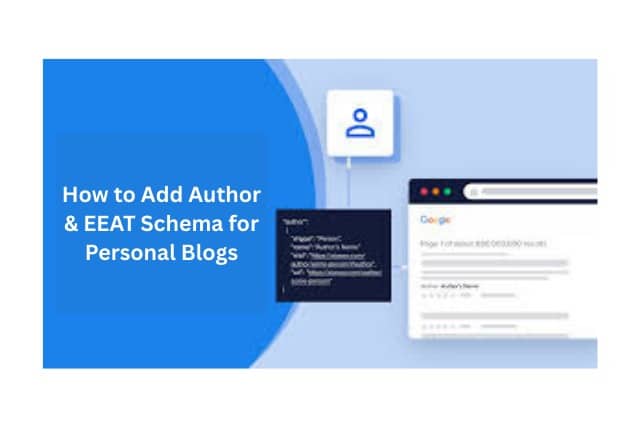
Why trust a blog post with no author? Google values clear authorship. In the U.S., 70% of top-ranking pages show author details, boosting visibility. Learning how to add Author & EEAT Schema for Personal Blogs is key.
The author schema tells Google who wrote your content. EEAT—Experience, Expertise, Authoritativeness, Trustworthiness—proves your blog’s value. Done right, this markup builds trust, lifts rankings, and makes your blog shine. Beginners can start easily. Experts gain advanced tips. Follow this guide. See real results.
Let’s dive into what these terms mean first.
What Is Author Schema and EEAT in SEO?
Start with the basics. The author schema is code. It marks your author details: name, bio, and links. EEAT signals in SEO show content quality. Google uses them to rank sites. Experience means real-world skills. Expertise shows deep knowledge. Authoritativeness comes from respect. Trustworthiness builds on honesty.
Next, schema markup uses JSON-LD. It helps search engines understand data. For blogs, it connects authors to posts. It sends clear signals.
Now, explore why this matters for your blog.
Why Author & EEAT Schema Matter for Personal Blogs
Personal blogs share stories or tips. Google demands reliable content. Author schema for blogs proves you’re real. It links your name to posts. EEAT shines in tough topics like health or finance, called YMYL content.
Moreover, search engines reward trusted voices. Over 31 million Americans blog, chasing top spots. EEAT helps you stand out. Google EEAT ranking factors prioritize quality.
Also, schema boosts personal branding. It connects you to social media. Your online identity grows.
Let’s see the benefits next.
Benefits of Adding Author_ How to Add Author & EEAT Schema for Personal Blogs
- More Visibility: Search results display author info, increasing clicks.
- Better SEO: Structured data for personal branding helps Google understand you.
- Trust Boost: Readers see credentials, stay longer, and share content.
- Knowledge Graph: Your profile appears in Google’s knowledge panels.
Plus, EEAT drives SEO in 2025. It ranks among the top three factors. Blogs with schema climb higher. Trust grows fast. Improving blog SEO with EEAT delivers results.
But watch out for common errors.
Common Mistakes Bloggers Make with Author Schema
Bloggers often skip author info. Posts seem anonymous. Google doubts them. Always use real profiles. Fake ones harm trust.
Another mistake: duplicate schema. Identical code on every post confuses engines. Link author pages correctly. Broken links hurt signals.
Also, an outdated BIOS weakens EEAT. Update them. Your schema performs better.
Now, let’s add the author schema.
Step-by-Step Guide_ How to Add Author Schema to Personal Blogs
Start easy. Use WordPress? Plugins simplify things. Try WordPress plugins for schema markup like AIOSEO or Rank Math. Install one. Open settings. Enter author details.
Next, go manual. Use JSON-LD. Here’s a JSON-LD Author schema example: {“@context”: “https://schema.org”, “@type”: “Person”, “name”: “Your Name”}. Paste it in the header.
Then, link to Google Knowledge Graph. Add social profiles with the sameAs property. It boosts authority.
Finally, enable author archives. Add custom fields like job title. Your schema now works sitewide.
But EEAT requires more steps.
How to Implement EEAT Schema for Personal Blogs
Follow this EEAT schema implementation guide. Start with the Person schema in blogs. It defines your identity: alumni, awards, or skills.
Next, link credentials. Show degrees or reviews to prove expertise.
Then, build an About page. Add structured data. Create a Contact page too. Use markup for trust.
So, if blogging under a brand, add Organization schema. It ties everything together.
Now, verify your work.
Tools to Test and Validate Author Schema_ How to Add Author & EEAT Schema for Personal Blogs?
- Google Rich Results Test: Paste your URL. Spot errors fast.
- Schema.org Validator: Checks code format for accuracy.
- Google Search Console: Reviews reports. Fixes issues quickly.
Use these to validate the Author schema. They ensure your markup works.
Next, strengthen EEAT beyond the schema.
Best Practices for Strengthening EEAT Signals Beyond Schema
Schema isn’t enough. Write detailed bios. Include credentials. Link to trusted sources.
Also, stay transparent. Share your process. Build reader trust.
Plus, keep content fresh. Updated info shows experience. Engage readers. Reply to comments.
Experts can take it further.
Advanced Tips for Experts| Enhancing Author & EEAT Schema
Connect to Wikipedia or Wikidata. Use sameAs for verified social profiles. It builds authority.
Next, focus on entity SEO. Adding the Person schema in blogs creates strong personal branding.
Also, use APIs. Automate schema. Track updates easily.
Let’s answer common questions.
Frequently Asked Questions
What’s the difference between Author Schema and EEAT?
The author schema identifies the writer. EEAT covers broader trust signals: experience, authority, credibility.
Do personal blogs need the EEAT schema?
Yes. Without it, ranking in competitive niches like health or finance is tough.
Can plugins handle the Author and EEAT schema?
Plugins like Yoast or Rank Math cover basics. Manual tweaks enhance EEAT.
Will Author Schema alone boost rankings?
No. It helps with rich snippets and trust, but requires quality content.
How often should I validate schema markup?
Check after updates to plugins, themes, or author details. Use Google Rich Results Test.
Finally, wrap it up.
At Last Words
Lastly, mastering how to add Author & EEAT Schema for Personal Blogs transforms your site. It’s not code. It proves your credibility. Google rewards trust.
Beginners can use plugins. Experts can link to Wikidata or automate with APIs. Clean markup builds authority. Your blog thrives.
Follow these steps. Use tools to validate. Watch traffic grow. Consistency wins. Start now. Your personal blog deserves it.


 Presidents' Day Sale - 20% Off
  Groundhog Day Sale - 20% Off